
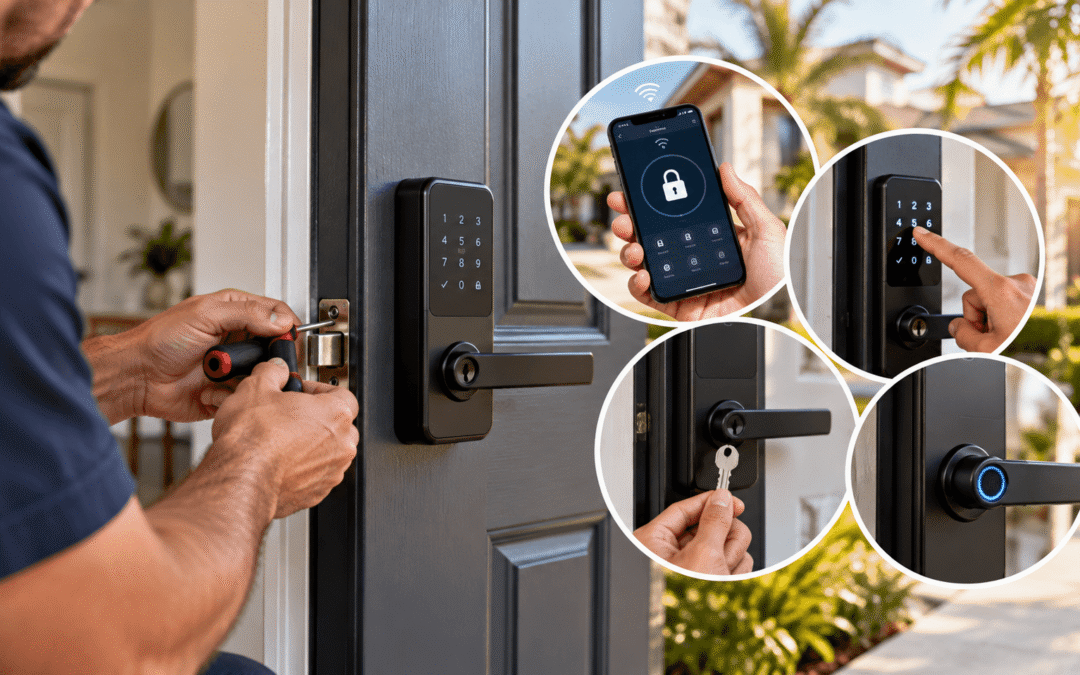
Smart lock installation usually costs between $200 and $700 per door, including common hardware and professional labor. A straightforward replacement may cost less, while door modifications, premium locks, or connected features can raise the total. The final price depends on the lock style, door condition, existing holes, connectivity, and setup time. Homeowners often focus on the device price but overlook alignment, programming, and user training.
This guide explains smart lock installation cost in clear terms, helping Tampa property owners plan a realistic budget. If you want the lock connected with other devices, Affordable Lock’s home automation services may also support a more coordinated security setup at every authorized entry point.
Smart Lock Installation Cost: Quick Answer
Most professionally installed smart locks cost about $200 to $700 per door, including hardware and standard labor. The exact amount varies by product and installation conditions.
Complex work can exceed this stated range. Examples include repairing the door, drilling new openings, adding electrical components, or integrating the lock with a larger system.
These figures provide planning guidance rather than a fixed quote. An inspection gives you a price based on your door and selected features.
What Is Included in Smart Lock Installation?
A standard installation involves more than attaching a device. The technician must make sure the door closes correctly and the lock operates without resistance.
Professional service may include:
- Removing the existing lock
- Inspecting the door and frame
- Installing compatible smart hardware
- Adjusting the latch and strike
- Connecting the lock to an app or hub
- Creating initial user codes
- Testing manual and electronic operation
- Explaining basic controls
Ask what the written estimate includes. Some providers quote labor separately from hardware, batteries, hubs, or door repairs. Extra features increase setup time and cost.
How the Smart Lock Type Changes the Price
Different products offer different ways to unlock the door. Added technology usually increases the hardware price and setup time.
Keypad Locks
Keypad models let users enter a PIN instead of carrying a key. Basic options are often among the most affordable smart locks.
They suit families, rental properties, offices, and service entrances. Features may include temporary codes, automatic locking, and access history.
Bluetooth Locks
Bluetooth locks communicate with nearby smartphones. They may not require an internet connection for basic operation.
Remote control usually needs a compatible bridge or hub. Include that equipment when comparing the complete price.
WiFi Smart Locks
WiFi models can support remote locking, alerts, and access management through an application. Some connect directly, while others use a separate bridge.
These models often cost more than simple keypad locks. Setup may also take longer because the technician must confirm network connectivity and account controls.
What Affects Smart Lock Installation Cost?
The hardware matters, but the existing door can change the quote just as much. These factors deserve attention before purchase.
Door Preparation
Replacing a standard deadbolt with a compatible smart model is usually straightforward. The existing holes, backset, and door thickness must match the new lock.
An unprepared door needs drilling and careful measurement. Metal, glass, and unusual commercial doors may require specialized equipment.
Door and Frame Condition
A smart lock cannot correct a sagging or poorly aligned door. If the latch rubs against the strike, the motor may struggle to lock.
Repairing hinges, adjusting the strike, or correcting the closer adds labor. These changes also support dependable operation after installation.
Connectivity and Setup
App-connected locks may require WiFi credentials, Bluetooth pairing, account creation, firmware updates, and user permissions.
Weak wireless coverage can create unreliable remote features. A hub or network improvement may become necessary for some locations.
Number of Locks
Installing several compatible locks during one visit may reduce the average labor cost per door. However, every opening still needs individual inspection and testing.
Larger properties may also require a shared management platform. Software, licenses, or hubs can add to the project total.
Existing Lock Removal
Most standard hardware is simple to remove. Corroded fasteners, damaged parts, or nonstandard preparations can take additional time.
A technician may recommend residential locksmith services when the opening needs broader lock or door work.
Three Simple Cost Scenarios
Different properties have different installation needs, so the following examples show how project scope can affect the final price.
A Basic Residential Replacement
A homeowner replaces a working deadbolt with a compatible keypad model. The existing holes fit, the door aligns correctly, and no hub is needed.
This project is likely to remain near the lower end of the typical range.
A Connected Front-Door Upgrade
A homeowner chooses a WiFi lock with remote access and activity alerts. Installation includes app setup, network connection, and several user codes.
The added hardware and configuration can place the project near the middle or upper part of the range.
A Small Commercial Project
A business installs smart locks on several employee doors. Each opening needs durable hardware, controlled permissions, and reliable management.
Commercial equipment, multiple users, and door repairs can increase the price. A broader access control system may offer better management for a growing property.
How Can You Avoid Unnecessary Costs?
Start with the door, not the product listing. Confirm dimensions and compatibility before buying a lock.
Use this short checklist:
- Check the door thickness and backset
- Identify the existing lock type
- Decide whether remote access is necessary
- Confirm WiFi or hub requirements
- Count the users and codes needed
- Ask whether batteries are included
- Request pricing for door adjustments
- Compare warranties and support options
Avoid paying for features nobody will manage. A simple keypad may provide everything a household or small office needs.
FAQ
Does Smart Lock Installation Cost Include Setup?
Many professional estimates include basic programming and testing. Confirm whether hardware, app setup, user codes, and training cost extra.
Can a Smart Lock Fit Any Door?
No. Door thickness, backset, hole dimensions, material, and existing hardware affect compatibility. Glass and some commercial doors need specialized solutions.
Do Smart Locks Work Without WiFi?
Many models still support a keypad, Bluetooth, physical key, or local operation without WiFi. Available functions depend on the product.
Will a Locksmith Install a Smart Lock I Purchased?
Some locksmiths install customer-supplied hardware after confirming its condition and compatibility. Ask about labor terms before buying the device.
Are Smart Locks Suitable for Businesses?
They can suit small offices and selected doors. Properties needing centralized permissions across many entrances may benefit from commercial access control.
Plan Your Smart Lock Upgrade
Your smart lock installation cost depends on hardware, door preparation, repairs, and connected features. Choosing a compatible product helps control expenses and supports smooth daily operation.
Contact Affordable Lock & Security for a smart lock installation estimate based on your Tampa-area property and security needs.