
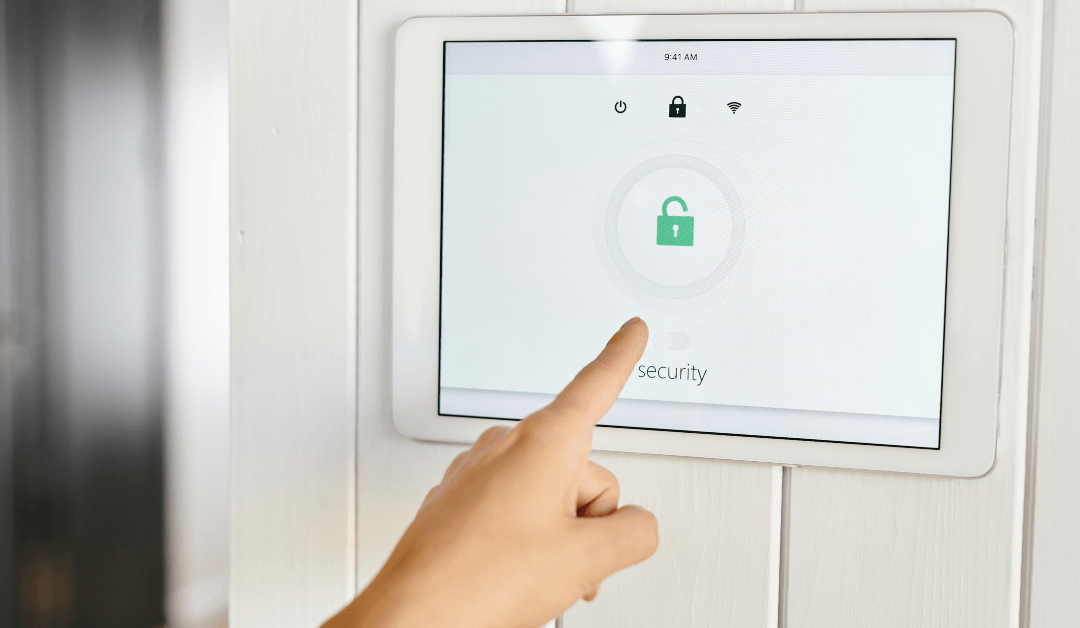
An access control audit is a detailed review of how people enter, exit, and move through a commercial property. It examines who currently has access, which doors they can open, when they can enter, and whether the system is working as intended.
The goal is simple: make sure the right people can access the right areas—and that former employees, expired contractors, lost credentials, outdated permissions, or malfunctioning equipment are not creating unnecessary security risks.
An audit may cover key cards, mobile credentials, PIN codes, biometric readers, traditional keys, door locks, access logs, visitor procedures, alarms, cameras, and the physical condition of secured entrances.
For Florida businesses, an access control audit can be especially useful after staffing changes, renovations, office moves, security incidents, or changes in how a property is used.
Access Control Audit: Quick Answer
During an access control audit, a security professional reviews:
- Every controlled entrance and restricted area
- The people authorized to access each area
- Active cards, fobs, PINs, mobile credentials, and keys
- Access schedules and permission levels
- Former employees and inactive users
- Entry and denied-access records
- Door locks, readers, sensors, and related hardware
- Visitor and contractor access procedures
- Connections with cameras and alarm systems
- Policies for issuing, changing, and removing access
The audit should end with a clear list of vulnerabilities, recommended corrections, and priorities for improving security.
Why Does a Business Need an Access Control Audit?
Installing an access control system is not the end of the security process.
Businesses change constantly. Employees leave, new workers arrive, departments move, contractors complete projects, and once-restricted rooms begin serving different purposes. Access permissions that were correct six months ago may no longer make sense today.
Without regular reviews, small administrative mistakes can quietly build up.
For example, a business may discover that:
- Former employees still have active key cards
- Contractors have permanent access instead of temporary access
- Employees can enter areas unrelated to their jobs
- Several people are sharing one credential
- Lost cards were replaced but never deactivated
- Doors are being propped open
- Access schedules allow entry outside normal working hours
- Management cannot identify who holds certain physical keys
- The system clock or access records are inaccurate
- A door appears secured electronically but does not latch properly
None of these problems necessarily means that someone intends to enter without permission. They do mean, however, that the business has less control over the property than it may realize.
What Is Included in an Access Control Audit?
The exact scope depends on the size of the building, the type of business, and the technology being used. Most thorough audits examine both the electronic system and the physical doors it controls.
1. A review of every access point
The auditor identifies all exterior entrances, employee doors, gates, elevators, storage rooms, server rooms, offices, loading areas, and other restricted spaces.
Each access point should be reviewed individually.
Important questions include:
- Should this door be controlled?
- Who needs to use it?
- Does it lock and latch correctly?
- Can someone bypass the reader?
- Is the door frequently left open?
- Does the system report when the door is forced or held open?
A sophisticated electronic system cannot compensate for a damaged lock, misaligned door, loose closer, or defective latch.
2. A review of active users
The auditor compares the system’s active users with the people who currently need access.
This may include:
- Employees
- Managers
- Building owners
- Tenants
- Cleaning crews
- Maintenance teams
- Delivery personnel
- Vendors
- Temporary workers
- Contractors
- Emergency personnel
Former employees, completed contractors, duplicate profiles, and unfamiliar users should be investigated and removed when they no longer have a legitimate reason for access.
3. A review of individual permissions
Not every employee needs access to every room.
A receptionist may need access to the main entrance and general office areas but not to a server room or inventory cage. A warehouse employee may need access to a loading area but not to accounting offices.
An audit compares each person’s permissions with their current responsibilities. This is often called the principle of least privilege: people receive the access needed to do their jobs without receiving unnecessary entry rights.
4. A review of access schedules
Access control systems can limit entry by time, day, door, or user.
An audit checks whether those schedules still match the way the business operates. It may uncover credentials that permit entry overnight, on holidays, or during weekends even though the user only works during regular business hours.
The auditor should also check for exceptions created temporarily and never removed.
5. A review of cards, fobs, PINs, and mobile credentials
Every credential should be connected to an identifiable person whenever possible.
Shared cards and shared PINs make it difficult to determine who entered a building. They also make offboarding harder because disabling a shared credential can affect several people.
The audit should identify:
- Lost credentials that remain active
- Duplicate cards
- Cards assigned to the wrong person
- Generic credentials used by several employees
- Weak or widely shared PIN codes
- Temporary credentials without expiration dates
- Mobile access assigned to old or replaced devices
Businesses using electronic credentials can usually deactivate an individual card or fob without replacing every lock. Affordable Lock’s key card systems can also assign access by user, time, and location while maintaining a history of entry activity.
6. A review of physical keys
Electronic access is often only one part of a building’s security.
Mechanical keys may still operate exterior doors, offices, cabinets, override cylinders, gates, or utility rooms. The audit should determine:
- How many keys have been issued
- Who currently holds them
- Whether keys can be copied without authorization
- Which doors each key opens
- Whether master keys are properly controlled
- What happens when a key is lost
- Whether the key inventory matches company records
A business with several doors may also benefit from reviewing its master key structure or upgrading vulnerable areas with high-security locks.
7. A review of access logs
Access logs can show when a credential was accepted or denied and which reader was used.
An auditor may look for:
- Entry outside normal working hours
- Repeated denied-access attempts
- One credential used at unusual locations
- Activity from inactive employees
- Doors being held or forced open
- Missing or incomplete records
- Incorrect dates and timestamps
- Patterns that do not match normal business activity
A log is only useful when each credential belongs to a known individual and someone reviews unusual activity.
NIST physical-security guidance includes maintaining authorized-access lists, removing access when it is no longer required, monitoring entry, reviewing physical access records, and securing keys and other credentials.
8. A physical inspection of doors and hardware
An access control audit should not happen entirely from a computer.
A technician should inspect the actual doors, readers, locks, request-to-exit devices, sensors, closers, power supplies, and control panels.
Common physical problems include:
- Doors that do not close completely
- Locks that do not engage
- Misaligned strikes
- Loose readers
- Damaged wiring
- Weak batteries or backup power
- Corroded outdoor equipment
- Faulty door-position sensors
- Doors that can be pulled open after appearing to lock
- Emergency exit hardware that needs professional attention
These problems can create security gaps even when the software appears normal.
9. A review of visitors and contractors
Employees are not the only people moving through a commercial property.
An audit should examine how the business handles visitors, vendors, cleaners, construction crews, delivery workers, and temporary staff.
Questions to ask include:
- Are visitors required to sign in?
- Are temporary credentials used?
- Do temporary permissions expire automatically?
- Are contractors limited to relevant doors and working hours?
- Is anyone responsible for collecting cards or keys?
- Can visitors enter employee-only areas without an escort?
- Are vendor credentials reviewed after a project ends?
Temporary access should actually be temporary.
10. A review of connected security systems
Access control may work alongside:
- Security cameras
- Burglar alarms
- Intercoms
- Automatic doors
- Elevator controls
- Visitor-management platforms
- Remote monitoring systems
An audit can confirm whether these systems communicate correctly and whether staff understand how to use them.
For example, a business may be able to connect an access event with video footage from the same entrance. An alarm may also alert management when a controlled door is forced open or remains open too long.
Affordable Lock provides access control, security camera, alarm, high-security lock, automatic door, and commercial locksmith services, allowing businesses to assess the entrance as one connected security environment rather than as separate pieces of equipment.
Access Control Audit Checklist
| Area reviewed | What to verify |
| Employees | Every active user still works for the organization |
| Permissions | Access matches the person’s current role |
| Former employees | All credentials and keys have been disabled or recovered |
| Contractors | Temporary access has an expiration date |
| Cards and fobs | Lost, duplicated, and unassigned credentials are deactivated |
| PIN codes | Codes are not shared or easily guessed |
| Access schedules | Entry is limited to appropriate hours |
| Physical keys | Every key is recorded and assigned |
| Doors | Each door closes, latches, and locks correctly |
| Readers and sensors | Hardware reports accurate status |
| Logs | Entry records are complete and reviewed |
| Visitors | Sign-in, escort, and temporary-access procedures are followed |
| Cameras and alarms | Connected systems work as expected |
| Emergencies | Staff understand access and lockdown procedures |
| Documentation | Changes, approvals, and responsibilities are recorded |
How Often Should an Access Control Audit Be Performed?
There is no single schedule that fits every organization.
Many businesses benefit from a complete audit at least once a year, with smaller permission reviews performed more frequently. Properties with high employee turnover, valuable inventory, sensitive information, several tenants, or multiple locations may need reviews every quarter or after each major staffing change.
An audit should also be considered after:
- An employee termination
- A lost card, fob, key, or mobile device
- A break-in or attempted unauthorized entry
- A renovation or office relocation
- A change in business hours
- A merger or management change
- The addition of a new department
- A large contractor project
- An unexplained access event
- A software, reader, or control-panel upgrade
Access should also be reviewed immediately when a high-level administrator or master credential may have been compromised.
What Problems Does an Access Control Audit Commonly Find?
Some of the most serious findings are surprisingly simple.
Former employees with active credentials
This is one of the most common administrative risks. A card may remain active because no one informed the system administrator that the employee left.
Too many administrators
Several people may have permission to create users, change schedules, or view records even though only one or two employees need that level of control.
Shared cards and PINs
Sharing credentials removes accountability. When several people use the same card or code, the access record no longer shows who actually entered.
Excessive access permissions
Employees may accumulate permissions as they change jobs within the company. Old access is added to new access instead of being removed.
Doors that do not latch
A reader may beep, the credential may register, and the system may report that the door is secure—even though a physical alignment problem prevents the door from locking.
Outdated technology
Older credentials and readers may lack the management, encryption, reporting, or update capabilities offered by newer systems. Affordable Lock notes that the security of a key card system depends partly on the technology and how consistently the system is maintained and updated.
Missing documentation
The business may not have a written process for issuing credentials, approving access, reporting lost cards, or removing users.
How Long Does an Access Control Audit Take?
A small office with a few controlled doors may be reviewed relatively quickly. A large property with several buildings, hundreds of users, multiple permission groups, and connected security systems will require a more detailed assessment.
The timeline depends on:
- Number of doors
- Number of active users
- Complexity of permission groups
- Availability of employee records
- Quality of existing documentation
- Number of integrated systems
- Physical condition of the doors
- Whether multiple locations are included
The goal should not be to complete the review as quickly as possible. It should be to verify the system carefully without disrupting normal business operations.
How Should a Business Prepare for an Audit?
Preparation makes the process more efficient.
Before the audit, collect:
- A current employee list
- A list of former employees
- Contractor and vendor records
- Door and reader locations
- Current access groups
- Business-hour schedules
- Key and credential inventories
- Previous security reports
- Records of lost cards or keys
- Recent access incidents
- Names of system administrators
- Information about connected alarms and cameras
A manager should also identify sensitive areas and explain how employees, visitors, deliveries, and contractors normally move through the building.
What Should the Final Audit Report Include?
A useful report should not simply say that the system passed or failed.
It should explain:
- What was reviewed
- What is working correctly
- Which vulnerabilities were identified
- Which issues need immediate attention
- Which improvements can be planned later
- Who should be responsible for each correction
- Whether hardware, software, or policy changes are needed
- When the next review should occur
Recommendations may include deactivating credentials, correcting schedules, repairing doors, updating software, changing administrator permissions, rekeying mechanical locks, replacing outdated readers, or connecting the system with cameras and alarms.
The report should prioritize findings according to actual risk rather than treating every issue as equally urgent.
Can a Business Perform Its Own Access Control Audit?
An internal review is better than no review.
Managers can compare the employee list with active credentials, remove obvious former users, check access groups, and confirm that cards have been returned.
However, an internal review may not identify:
- Incorrect wiring
- Failing locks or sensors
- Door alignment problems
- Weak system configuration
- Outdated credential technology
- Improper backup power
- Bypass opportunities
- Integration failures
- Problems with master key design
A professional audit combines system administration with a physical inspection of the doors and surrounding security equipment.
What Happens After the Audit?
The audit is only valuable when the findings lead to action.
Start with issues that could allow immediate unauthorized entry, such as active former-employee credentials, unknown master keys, doors that do not latch, shared administrator accounts, or uncontrolled exterior entrances.
Next, correct procedural problems by establishing clear rules for:
- Approving access
- Issuing credentials
- Reporting lost cards
- Reviewing logs
- Managing visitors
- Removing former users
- Auditing administrators
- Documenting changes
Longer-term improvements may include adding controlled doors, replacing outdated readers, installing high-security locks, connecting cameras, or moving to a system that is easier to manage across multiple locations.
Frequently Asked Questions
What is the purpose of an access control audit?
The purpose is to verify that only authorized people can enter a property or restricted area. It also identifies inactive users, excessive permissions, lost credentials, defective doors, outdated equipment, and gaps in company procedures.
What is checked during an access control audit?
The review normally covers users, credentials, permission groups, access schedules, entry records, physical keys, doors, locks, card readers, sensors, visitor procedures, and connected security systems.
Is an access control audit the same as a security audit?
An access control audit focuses specifically on who can enter a property and how that access is managed. A broader security audit may also examine cameras, alarms, lighting, cybersecurity, emergency procedures, and other risks.
How often should access permissions be reviewed?
Permissions should be reviewed regularly and whenever an employee leaves, changes roles, loses a credential, or no longer needs access to a particular area. Higher-risk properties may benefit from quarterly reviews in addition to a more complete annual audit.
Who should perform an access control audit?
Basic user reviews can be handled by an authorized manager or system administrator. A complete audit should involve a qualified access control or commercial security professional who can evaluate both the software and the physical doors.
Can an audit identify former employees with active key cards?
Yes. Comparing the active-user database with current employment records is one of the most important parts of the process.
Does an access control audit include physical keys?
It should. Many buildings use electronic access on exterior doors while continuing to use traditional keys for offices, cabinets, storage areas, and emergency overrides.
Can access control logs show who entered a building?
When credentials are assigned individually and the system is configured correctly, logs can usually show which credential was used, which door it accessed, and when the event occurred. A log does not necessarily prove who physically carried the credential, especially when cards or PINs are shared.
How much does an access control audit cost?
The cost depends on the number of doors, users, buildings, credentials, and connected security systems. A small office review will usually be less complex than an audit of a large, multi-location facility. A site assessment is the best way to receive an accurate estimate.
What should be fixed first after an audit?
Prioritize active credentials belonging to unauthorized people, unsecured exterior doors, lost master keys, defective locking hardware, shared administrator accounts, and any issue that could permit immediate unauthorized entry.